I met Jamie before I could even talk. My earliest memory of him dates back to before we were in kindergarten together. We would go to the kindergarten with our mums to pick up our older brothers.
Kindy
Once old enough to go ourselves, we often painted pictures together at kindergarten and played with playdough. But Jamie always seemed to get the chance to play with the big blocks, while I consistently missed out. Those blocks were the most popular toy at our kindergarten, and we could only play with them once the teacher gave us permission. One day, I confided in Jamie that I was jealous of him playing with the blocks every day while I never got a turn. He immediately understood my disappointment and went to our new kindergarten teacher, Mrs. McLeod, to ask her if I could play with the blocks next. The very next moment, I found myself joyfully playing with the big blocks alongside Jamie; I was stoked! I really appreciated histhis gesture. I was too nervous to ask, but he recognised my problem and remedied it for me.
Felt pens
Eventually, Jamie and I moved onto primary school. In our second year, we met up on the first day and walked to class together. I had a set of new felt-tip pens for drawing, something many of the other kids didn’t have. I was engrossed in crafting a magnificent piece of art, when I suddenly noticed Jamie using my felt-tip pens without asking. I was taken aback and blurted out, “What are you doing?”
Our teacher, Mrs. Mee, overheard my reaction and calmly explained, “Oh, Jamie’s just using your felt pens. That’s okay, isn’t it? He doesn’t have any, so wouldn’t it be nice to let him use yours?” I felt a mix of confusion and annoyance; I didn’t want him using my pens.
However, as I saw the joy on Jamie’s face as he drew his picture with my pens, my frustration faded. I decided to let him continue, recognizing that his happiness was more important than my possession of the pens. As an adult, I still reflect on this day. Though it seemed like a minor event at the time, it sticks out in my mind as the first instance when I truly understood that giving to another person could create a warm, positive feeling in return.
Ice cream disaster
On a bright, sunny day, Jamie invited me to walk to Caversham with him and his mum. The idea seemed ludicrous to me at first, as I had always believed that adults couldn’t walk long distances and were limited to traveling by car. I soon realized I was mistaken; Jamie’s mum proved she could walk just as far as any child.
As we journeyed, I pointed out the site where I had been involved in a significant car crash not long before. Our walk led us to a shop where Jamie’s mum treated us to ice creams. Excitement turned to despair when my large ice cream scoop, balancing precariously on the cone, tumbled and splattered on the pavement. Jamie instantly offered to share his ice cream with me, but I wasn’t in the mood to lick another mans ice cream.
Since then, I’ve always taken care to ensure my ice cream is firmly secured on its cone. Even in this small, seemingly trivial incident, I learned a valuable lesson in appreciating what I have and recognizing the kindness in others.
Ebony
One day, Jamie came up with a brilliant idea to visit Ebony, a girl I secretly had a crush on. The plan seemed impossible, as she lived too far away, and my mum had explicitly instructed me not to travel that far by ourselves. Jamie’s response was a fearless “Who cares? Let’s just go anyway,” and so we did! Rules never seemed to faze Jamie; he viewed them more as guidelines rather than strict laws, a perspective that has influenced me into adulthood.
We fully expected Ebony to turn us away, but much to our surprise, she warmly invited us in to play in her backyard. Her sister was there too, teasing her about having so many “boyfriends.” Suddenly, Ebony whipped out a water gun, and Jamie and I found ourselves on the defensive, warding off Ebony’s spirited water attack. I grew anxious, imagining my mum’s furious reaction when I’d return home soaked and fearing even more her inevitable question about where I’d been.
Jamie, who was usually the calming presence, reassured me that we’d dry off before getting home; as usual, he was right. That day was both a thrilling and terrifying lesson about bending rules and embracing spontaneity. The mixture of horror and excitement from the experience was a significant moment in my childhood, teaching me valuable lessons about friendship, courage, and the joy of unexpected adventures.
Life skills
I picked up many small yet invaluable life skills from Jamie as well. For example, he taught me how to open a can of Coke. This really surprised me because I had always thought it was a task that required an adult’s assistance. Jamie’s lessons went beyond that, though. Seeing that I had to constantly retie my shoes on the playground, he showed me how to secure them with a double knot. That simple but effective technique has stayed with me, and I still tie my shoes with a double knot to this day. Interestingly, this sometimes elicits a chuckle from adults, who view it as a childish technique. But for me, it’s a lasting symbol of Jamie’s influence on me.
Class room change
One year, after our summer break, Jamie and I eagerly headed back for our first day of school. We were both thrilled to find ourselves placed in Mr. Gilmore’s class. However, partway through the day, I was unexpectedly switched to Mr. West’s class, filled with older students. Already grappling with the pressure to perform well at school, I now found myself in a class where everyone seemed more advanced than me. My confidence plummeted, and I fretted about keeping pace with my older classmates.
On the way home, Jamie could tell something was wrong and asked me about my experience in the new class. Unable to contain my emotions, I burst into tears right there in front of everyone. I felt a deep shame, thinking I shouldn’t be crying over something like this, but Jamie was incredible. He consoled me, assuring me that everything would be fine, and even took it upon himself to talk to my mum about the unsettling class change.
Much to my surprise, the very next day, Mr. Gilmore invited me back to his class. The relief I felt was immense, and I knew that Jamie’s support had played a key role in easing this stressful situation. His empathy and proactive approach had resulted in my mum contacting the school and they had immediately switched me back to the other class.
Fishing
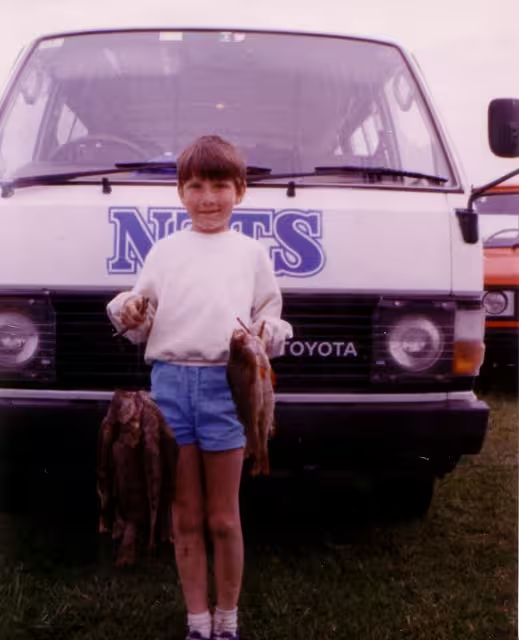
Jamie and I joined our Cub Scout group on a fishing trip to Lake Mahinerangi. Though we didn’t catch any fish on the first day, we had a blast trying. That night, Jamie and I shared a tent, and I found myself struggling with the tent pegs, unable to get them into the rock hard ground. Thankfully, Jamie’s superior strength came to the rescue, and he hammered those pegs in like a boss! We ended up with the best-pitched tent in the entire group!
The next day brought a change in fortune, and we caught a whole bunch of fish (17 by me)! Jamie and I were thrilled at the prospect of feasting on our catch at dinner. However, our excitement turned to frustration when the dipshit adults in our group, consumed all of our prized fish before we had a chance to enjoy them. Jamie could see how ticked off I was, but he just shrugged his shoulders and suggested we make do with the nasty leftover vegetables. I was ready to descend into anger, but his approach to make the most of the leftovers was much more productive; we still had a good time.
Chocolate
Jamie often assisted one of the school employees with their work tasks during lunch times, and for his efforts, he was sometimes rewarded with chocolate. Jamie decided that I should help too, so that I could also get some chocolate. However, the staff member informed us that he kept most of the chocolate at his house, and he even told us when he would be home during our school lunchtime. That was all Jamie and I needed to hear. We immediately began plotting a plan to visit the house during lunch time for a bigger payment of chocolate.
The obstacle in our path was Mrs. Underwood, the teacher in charge of monitoring the area of the school from which we needed to escape. Jamie and I scoped out her movements, carefully timing our escape. We followed her across the school until she was at the adventure playground on the other side of the school. Then, seizing our opportunity, we sprinted around the other side of the school, scooted underneath the back fence behind the tennis courts (making sure no other kids would spot us), and darted across the road toward the staff members house.
The staff member led us to his bedroom, where he had a massive stash of chocolate in his wardrobe! We gorged ourselves briefly on a feast of chocolate before zipping back to school undetected.
Salt gun lady
One day, Jamie and I set out to find a rumoured “crazy lady” at the end of Hillhead Road, who was said to shoot trespassers with a salt gun. I had no idea what a salt gun was, but the thought was frightening, yet also thrilling. We journeyed down the long gravel road, constantly on the lookout for the lady, but she never appeared. Reaching the end of the road triumphantly, we quickly sped off in case she suddenly turned up to shoot us. I later assumed this was merely an urban legend, but it turns out there really was a crazy lady there with a salt gun who had been shooting children with it!
Chess
Sometimes at school, we were allowed to play games during class. One day, Jamie was playing chess and invited me to join him, even though I knew nothing about the game. Patiently, he taught me how the pieces moved and the strategy behind checkmating. The complexity of chess, devoid of luck, fascinated me, I began playing it regularly. Later, feeling confident, I challenged Jamie’s dad to a game, only to be totally annihilated! That small lesson from Jamie all those years ago has led me to play chess almost every day now.
Ball bearing trolleys
My dad had reminisced about the excitement of “ball bearing trolleys” from his youth and eventually built some for us using old wood and ball bearings. Though perilous, they were an absolute blast to rocket down the hill on. One Saturday, my brother claimed that our dad had given us permission to paint and modify the trolleys. Jamie and I teamed up on mine, christening it the “Stunt Master.” We both realized the biggest safety issue was flying off the trolley when taking the big turn at the bottom of our street, so we decided to add a small wooden trim to help keep us on board instead of flying off the slippery top of the trolley. Jamie measured and cut the wood while I nailed it onto the trolley. We painted it a bright green color. During the initial test run, Jamie’s huge, cheeky grin revealed that our wooden trim was working perfectly. However, my dad was livid when he got home and discovered my brother had lied about getting permission. Sadly, the ball bearing trolleys were never used again, but we at least had an unforgettable time fixing them up together.
Concord School
Jamie had told me about a mysterious school far away called Concord School. He said there was a mega slide on the way and a huge flying fox at the school. I asked my parents about it, and they strictly forbade me from going. They said that the roads were too dangerous and warned that something terrible might happen if I went. Jamie, being the rebellious one, came up with a plan to circumvent my parents. We told them we were “going to the school” on our bikes but cleverly omitted which school 🙂 I was on edge, fearing my parents’ wrath if they realized where we were actually going. We even took the long way to get there to avoid being spotted by my parents. At one point, I could see my home far in the distance, and I pedaled my heart out as quickly as possible in case they were staring far into the distance and saw me. That was one of the most thrilling days of my life.
Badges
Another time, Jamie and I decided to have our own pin-on badges made. This seemed like a great idea, and we even knew a badge maker who lived just around the corner from us. However, I was way too nervous and scared to go talk to the badge-making man about it. The mere thought of it terrified me, as I was quite a nervous kid. But Jamie led the way. We went to the man’s workshop, designed the badges, signed a contract, and paid with our own money. Excited and proud, we returned home to tell my parents about our accomplishment. My dad’s furious reaction shocked me. He ranted about how we shouldn’t have negotiated contracts as children and demanded we cancel the order. I was confused; it was my money, after all. We did receive our badges in the end, but the experience of making them was tainted. I learned a lot that day about confidence, though. Jamie could see what he wanted and charged ahead fearlessly to get it.
Fire
At age 10, some of us were assigned the responsibility of looking after younger children at school during lunch. One day, a little girl named Christine ran down the hallway yelling “FIRE!” At first, I dismissed her warning, thinking that if there were a real fire, an alarm would have sounded. But my attentive teacher, Miss McLeod, led us outside, where we indeed saw smoke coming from the roof. Jamie and two other boys were supervising the younger kids when an electrical fire started in the ceiling. Tragically, they found the fire exit locked and another exit blocked. Guiding the little ones under the flames, they managed to escape the building, with the alarm sounding only later. We learned that a careless teacher had locked the fire exit, mistaking it for a lunch alarm, and another exit had been obstructed with carpet rolls. Though a TV news team arrived to investigate, the story was suppressed, and one of the boys was even threatened with punishment for speaking to the reporter. It was a horrifying incident that exposed significant negligence, and the story never made the news. I always pictured Jamie confidently leading everyone through the flames to safety. That was just his way.
Regret
One event in my friendship with Jamie holds enormous regret for me, and I can’t help but look back on my behavior with shame. I sent him an apology about it two years ago, but he never responded. I had intended to ask to meet up with him in person the next time I was in New Zealand, but that will never happen now.
One day after school, I found myself in a particularly bad mood, tired and eager to get home. Jamie and I usually took a shortcut involving a short but steep dirt bank climb. Although I’d accomplished it many times before, I felt oddly reluctant that day. Jamie scrambled up easily, but I stalled, lacking energy and motivation. Shame and frustration led me to irrationally blame him for my inability to climb.
When an older boy came by, I lied, accusing Jamie of pushing me down. The older boy scolded Jamie, and I finally climbed up, coldly ignoring Jamie for the rest of the walk home. He just looked confused. My feelings continued to bubble over, and I complained to my mum about Jamie’s supposed behavior. By dinner time, my parents were ranting about Jamie “bullying” me. To my shame, I unexpectedly found myself enjoying their attention.
Over the next few days, the situation escalated. I decided I no longer liked Jamie; in reality, I was merely enjoying the attention I was receiving for supposedly being bullied. The reality was quite the opposite.
We never shared a classroom again after that, and we mostly drifted apart. I didn’t have much to do with him afterward. Now, I feel a deep sadness about how things turned out. It was a valuable life lesson, though; perhaps the last one in a long list that he gave me.
Looking back on those years, Jamie played a vital role in shaping who I am today. He was a catalyst for adventure, who taught me more than he likely ever realised and imprinted on me a sense of compassion that I doubt I would have had otherwise. I don’t feel like I was a particularly great friend to him, but I knew he was to me.
It’s a tragic loss that Jamie is no longer with us. The memories I shared with him will forever be a part of me, and I hope my recounting them here will help others appreciate the impact a single person can have on our lives. Rest in peace, Jamie Harvey. You will always be missed, but never forgotten.
Jamie Matthew Harvey 1979-05-27 to 2023-08-07 💛💛💛
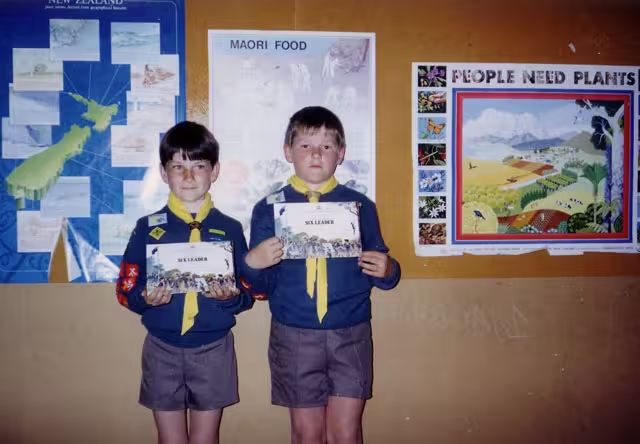
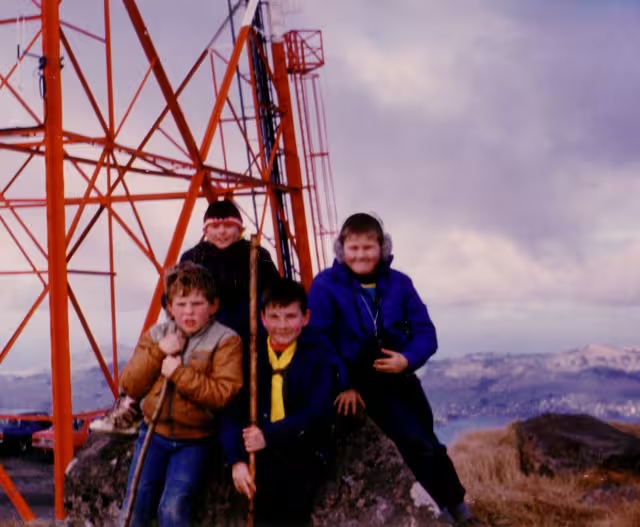
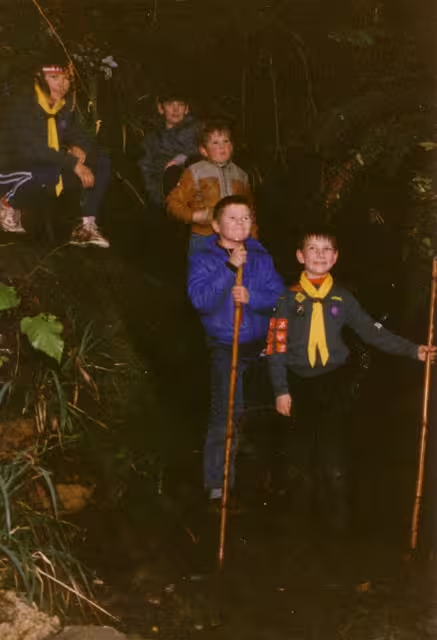
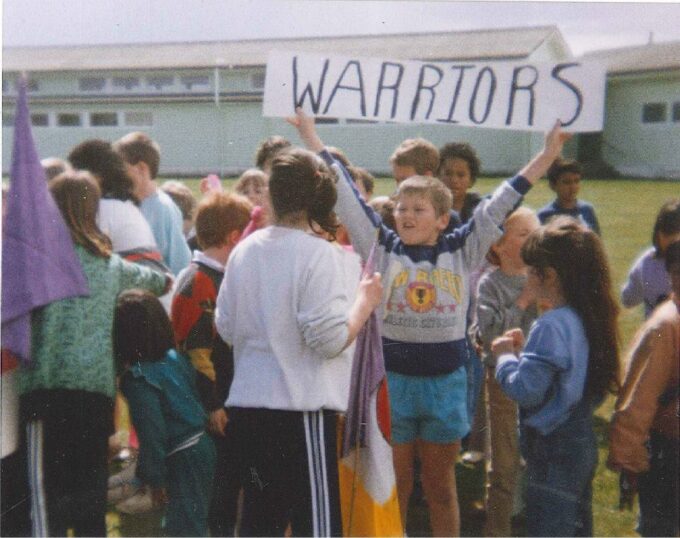
I stole this from Davenea (https://www.facebook.com/photo/?fbid=10153085460224584).

Cross posted to Faceook